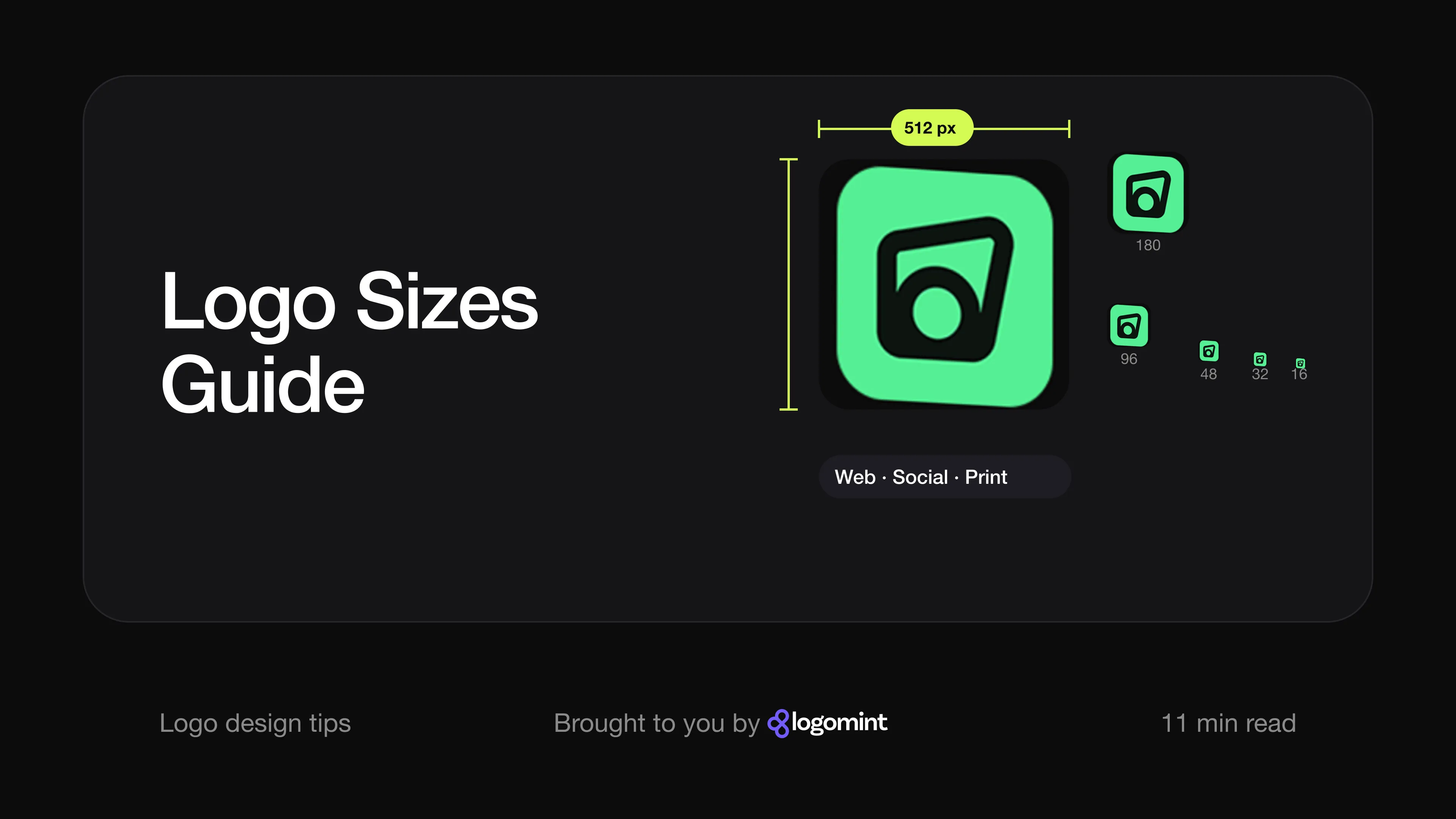
Short answer There is no single right logo size. You need one vector master file and a set of exports: an SVG for your website, square PNGs for social profiles (Facebook recommends 320 × 320 px, LinkedIn and X 400 × 400 px), a favicon larger than 48 × 48 px, a 1,024 × 1,024 px app icon for Apple and 512 × 512 px for Google Play, and a CMYK vector file for print. Every platform number below comes from the platform’s own help pages, checked on 15 October 2026.
Why isn’t one logo file enough?
A logo has to work in a 16-pixel browser tab and on a three-metre banner. No single file does both well.
The answer is to keep one vector master (AI, EPS or PDF) and export everything else from it. Vector files are made of shapes rather than pixels, so they scale to any size without going blurry. Pixel files (PNG, JPG) are exported at a fixed size for one job each. If you are unsure what each format does, start with our guide to which logo file formats you need.
Two more rules apply to every size in this guide:
- Different sizes need different layouts. A horizontal logo with a long name works in a website header. In a small circle, only the symbol or a monogram will be readable.
- Never enlarge a small file. Stretching a 200-pixel PNG to fill a poster is the quickest way to make a good logo look amateur. We cover this in why your logo looks cheap.
What size should a logo be on a website?
There is no official standard for website logos. The size depends on your layout, your header height and how long your name is. What follows are our recommendations as designers, not platform rules.
Use SVG wherever you can. An SVG logo stays sharp at every size and on every screen, and it is usually a tiny file. Your developer sets the display size in the code.
If you must use PNG, export it at twice the display size. Most phones and many laptops have high-density (“retina”) screens. MDN explains that these screens have a device pixel ratio of 2: every pixel in your layout is drawn with two physical pixels in each direction. A logo shown 200 px wide needs a 400 px wide PNG to look crisp.
Sensible starting ranges:
| Placement | Display height (recommendation) | PNG export (2x) |
|---|---|---|
| Desktop header, horizontal logo | 32 to 56 px tall | 64 to 112 px tall |
| Mobile header | 24 to 40 px tall | 48 to 80 px tall |
| Footer | 24 to 40 px tall | 48 to 80 px tall |
Measure by height, not width. A wordmark with a long name and a compact square logo can both be 40 px tall and look balanced in the same header. Then check two things: that the smallest text in the logo is still readable on a phone, and that you have a reversed version if your header or footer is dark.
What size should a favicon and app icon be?
These are the one place where official specifications really matter, because the platforms set them.
Favicon
Google Search Central says a favicon used in search results must be square (1:1) and at least 8 × 8 px, and recommends using one larger than 48 × 48 px so it looks good on different surfaces. Supported formats include ICO, PNG, GIF, JPEG, BMP, PPM and TIFF.
A favicon is drawn in a tiny square, so use your symbol or a single letter, not the full logo. Our tech startup logo guide shows how to test an icon at 16 px and in a dark browser tab.
Two related icons are worth exporting at the same time:
- Web app icons. Google’s web.dev guide says Chromium browsers need at least a 192 × 192 px and a 512 × 512 px icon in the web app manifest if your site can be installed as an app.
- Apple touch icon. iOS ignores the standard favicon link for home screen shortcuts and uses a separate
apple-touch-iconinstead, as MDN notes. Apple’s older Safari documentation (now in its documentation archive) uses 180 × 180 px in its iPhone example.
App icons
| Platform | Official size | Notes from the official page |
|---|---|---|
| iOS, iPadOS, macOS | 1,024 × 1,024 px | Square layers; the system adds the rounded corners |
| watchOS | 1,088 × 1,088 px | Square layers; the system masks it into a circle |
| visionOS | 1,024 × 1,024 px | Square layers; circular after masking |
| tvOS | 800 × 480 px | Landscape rectangle |
| Google Play | 512 × 512 px | 32-bit PNG, sRGB, max 1,024 KB, full square |
Apple’s Human Interface Guidelines say the system automatically scales your icon down for places like Settings and notifications. Apple also recommends vector layers (SVG or PDF) when building icons in Icon Composer, and advises against text in icons unless it is essential.
Google Play’s icon specification asks for a full square with no shadow: Google Play applies a corner radius equal to 30% of the icon size and adds its own drop shadow. In both stores, supply a square and let the platform cut the corners. Pre-rounded corners look wrong.
What is the right social media logo size?
Almost every platform shows your logo as a small square or circle. That means the symbol or a compact version of the logo, centred with space around it so nothing gets cut off by a circular crop.
These are the numbers each platform publishes in its own help centre:
| Platform | Official guidance | File rules |
|---|---|---|
| Facebook Page | Upload 320 × 320 px for best quality. Displays at 176 × 176 px on computers and 196 × 196 px on smartphones. Cropped to a circle. | PNG suggested for logos and text |
| LinkedIn Page | Logo recommended 400 × 400 px, minimum 268 × 268 px. Cover image 1,512 × 256 px. | PNG or JPEG, max 3 MB |
| X | Profile photo recommended 400 × 400 px. Header 1,500 × 500 px. | JPEG, GIF or PNG, max 2 MB |
| YouTube | Profile picture renders at 98 × 98 px. A square or round image works best. No upload size given. | JPG, GIF, BMP or PNG (not animated), max 15 MB |
| No profile picture size published in the Help Center. | None stated | |
| Google Business Profile | General photo guidelines: recommended 720 × 720 px, minimum 250 × 250 px. The page doesn’t say whether these apply to the logo specifically. | JPG or PNG, 10 KB to 5 MB |
Sources: Facebook, LinkedIn, X, YouTube, Google Business Profile.
A few practical notes:
- One square export covers most of this. An 800 × 800 px square PNG of your symbol is at least twice every recommended size above, and platforms scale it down. If a platform’s preview looks soft, upload a version at its exact recommended size instead.
- Use a solid background colour for avatars. A transparent PNG can show up on white, grey or black depending on the app and the viewer’s theme. A filled square in your brand colour looks the same everywhere.
- YouTube watermark. If you add a branding watermark to your videos, YouTube asks for a square image of at least 150 × 150 px, under 1 MB.
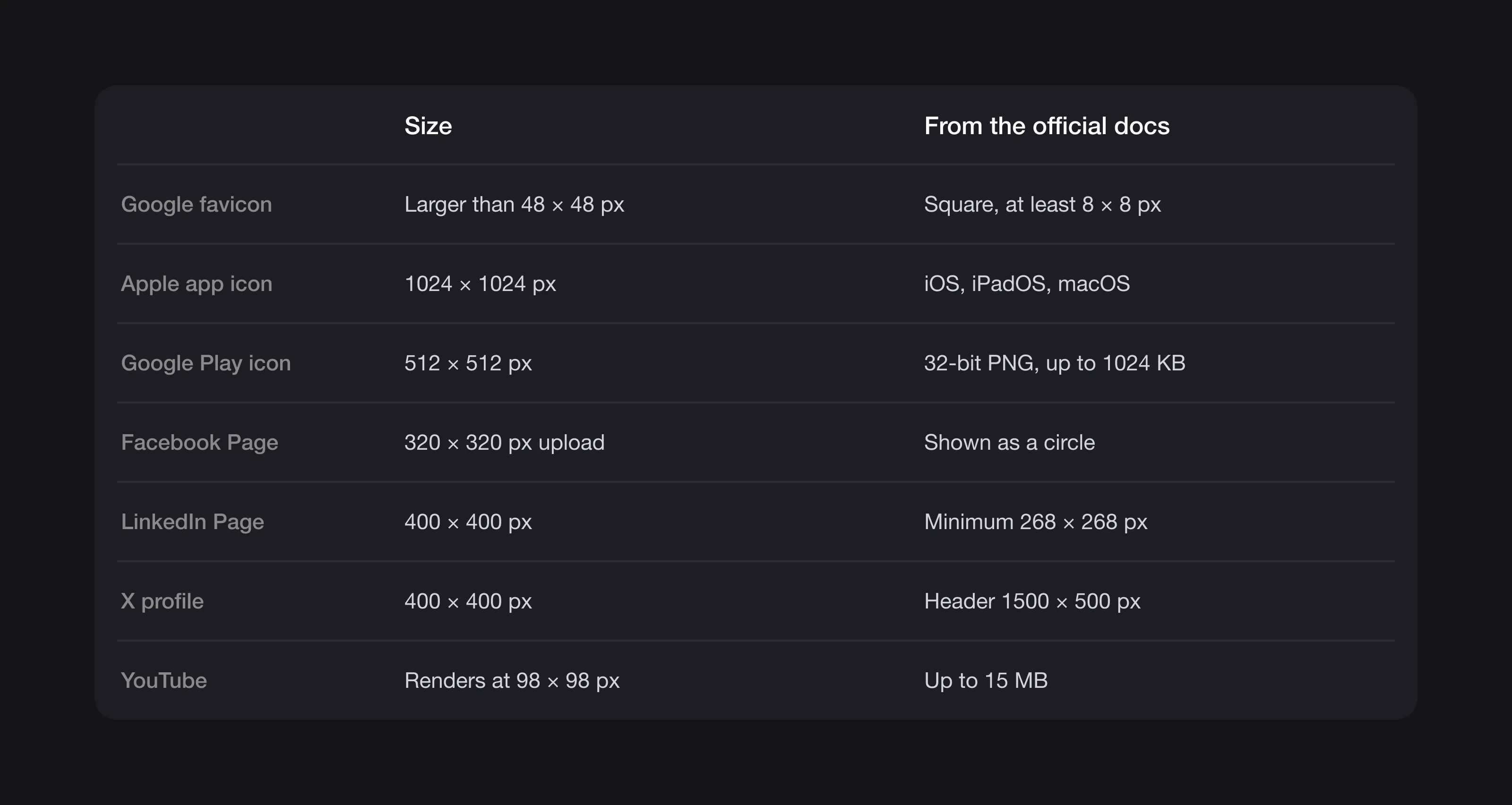 The key sizes from each platform’s own documentation, checked on 15 October 2026.
What size should a logo be in an email signature?
Email platforms don’t publish logo sizes, so this is practical guidance from our own projects.
- Keep it small. A signature logo reads well at about 120 to 200 px wide for a horizontal logo, or 60 to 80 px for a square symbol. Anything bigger dominates the message.
- Export at twice the display size for high-density screens, then set the display width in the signature editor or HTML.
- Use PNG. It is the safe choice for email: it keeps sharp edges on text and supports transparency.
- Keep the file light. A signature image is loaded with every email you send. Aim for well under 50 KB.
- Check it on a dark background. Many people read email in dark mode. A dark logo on a transparent background can disappear, so a version with a light outline or a white background block is safer.
How big should a logo be in print?
Print works differently: there are no pixels, only physical size, and the printer needs a vector file.
Send a vector file in CMYK. Screens mix colour from red, green and blue light (RGB). Printers mix cyan, magenta, yellow and black ink (CMYK). Your logo package should include CMYK versions and, ideally, Pantone references for exact brand colours. Our guide on choosing logo colours explains why colours shift between the two.
If you only have a raster file, the usual print rule is 300 pixels per inch at the final printed size. A logo printed 5 cm wide needs a file about 600 px wide. For anything larger than a business card, get the vector.
Set a minimum size. This is practical advice, not an industry rule, because it depends on your design:
| Version | Suggested minimum printed width |
|---|---|
| Symbol or monogram | 10 to 15 mm |
| Horizontal logo with name | 25 to 35 mm |
| Logo with a tagline | 40 mm or more, so the tagline stays legible |
| Embroidery | Larger than print; ask your supplier, as thread can’t hold fine detail |
Print your logo on paper at these sizes and look at it at arm’s length. If the name blurs into a smudge, either set a larger minimum or use the symbol alone at that size. A simple shape copes with small sizes much better, one reason timeless logos tend to be simple.
The logo sizes checklist: every file to export
Use this as your master list. Platform sizes are official; everything else is our recommendation.
| File | Format | Size | Used for |
|---|---|---|---|
| Vector master | AI, EPS, PDF | Scalable | Editing, print, sign makers |
| Print version | PDF or EPS, CMYK | Scalable | Business cards, packaging, signage |
| Web logo | SVG | Scalable | Website header and footer |
| Web logo fallback | Transparent PNG | 2x display size (e.g. 400 px wide for a 200 px slot) | Platforms that don’t accept SVG |
| Reversed logo | SVG and PNG, white | As above | Dark headers, footers, photos |
| One-colour logo | SVG and PDF, black | Scalable | Stamps, engraving, single-colour printing |
| Social avatar | PNG, filled square | 800 × 800 px | Facebook, LinkedIn, X, YouTube, Instagram |
| Favicon | ICO or PNG | Square, larger than 48 × 48 px | Browser tabs, Google results |
| Web app icons | PNG | 192 × 192 and 512 × 512 px | Installable websites |
| Apple touch icon | PNG | 180 × 180 px | iPhone home screen shortcut |
| iOS app icon | Layers or PNG | 1,024 × 1,024 px | App Store and home screen |
| Google Play icon | 32-bit PNG | 512 × 512 px | Google Play listing |
| Email signature | PNG | 2x display width |
Most of these are exports from the same three or four logo layouts. Every Logomint plan includes a transparent logo along with vector, printable and source files, so you or your developer can produce any of these sizes without redrawing anything.
FAQ
What size should a logo be for a website?
There’s no official standard. Use an SVG so it stays sharp at any size; as a starting point, most horizontal header logos look balanced at 32 to 56 px tall on desktop. If you use PNG, export it at twice the display size for high-density screens.
What is the best favicon size?
Google requires a square favicon of at least 8 × 8 px and recommends one larger than 48 × 48 px. Use your symbol or a single letter rather than the full logo, because a name won’t be readable at that size.
What size should my logo be for social media?
Facebook recommends 320 × 320 px for a Page profile picture, while LinkedIn and X recommend 400 × 400 px. A single 800 × 800 px square export of your symbol covers all three, with the design centred so it survives a circular crop.
What resolution does a logo need for print?
Ideally none, because you should send a vector file (PDF, EPS or AI) in CMYK, which prints sharp at any size. If you only have a pixel file, it needs about 300 pixels per inch at the final printed size.
Sources
Checked on 15 October 2026.
- Google Search Central, Define a favicon to show in search results
- web.dev, Add a web app manifest
- Apple Developer, Human Interface Guidelines: App icons
- Apple Developer Documentation Archive, Configuring Web Applications
- Android Developers, Google Play icon design specifications
- Facebook Help Center, Facebook Page profile picture and cover photo dimensions
- LinkedIn Help, Image specifications for your LinkedIn Pages and Career Pages
- X Help Center, Help with uploading a profile photo
- YouTube Help, Manage your channel branding
- Instagram Help Center, Add a profile picture or change your current picture
- Google Business Profile Help, Manage your Business Profile photos and videos
- MDN Web Docs, Window: devicePixelRatio and HTML attribute: rel
The bottom line
Logo sizes are less about one perfect number and more about having the right file for each job: a vector master, an SVG for the web, a square symbol for icons and avatars, and a CMYK file for print. Get those from your designer once, and every new platform becomes a five-minute export.
If you’re starting from scratch, a senior Logomint designer creates your custom logo from €129, with first concepts in 48 hours and a money-back guarantee. See the plans.