Short answer A complete logo package includes SVG (web), AI (editable master), EPS (print vendors), PDF (sharing and print) and transparent PNG (everyday use), each in full colour, black and white versions. If you only have a JPG or PNG, your logo package is incomplete.
The file problem nobody warns you about
You paid for a logo and received a ZIP file. Inside is either a single PNG (a bad sign) or a dozen files in formats you’ve never heard of (confusing, but actually good). Nobody explained what they’re for.
It matters more than you’d think. The wrong file in the wrong place means a blurry logo on your business cards, a pixelated trade show banner, or an awkward moment when the printer asks for “vector files”.
Vector vs. raster: the one distinction that matters
Every image file is either raster or vector. Understand this and you’ve avoided most logo file problems.
Raster files (PNG, JPG, GIF) are made of pixels. Each file has a fixed resolution, so when you enlarge it, it goes blurry. A logo that looks sharp on your website can look terrible on a poster.
Vector files (SVG, AI, EPS, PDF) are made of mathematical shapes, with no pixels at all. You can scale a vector logo from a stamp to the side of a building and it stays perfectly sharp. That’s why every professional logo must exist as a vector file.
If your designer only sent PNG and JPG files, you don’t have a complete logo package.
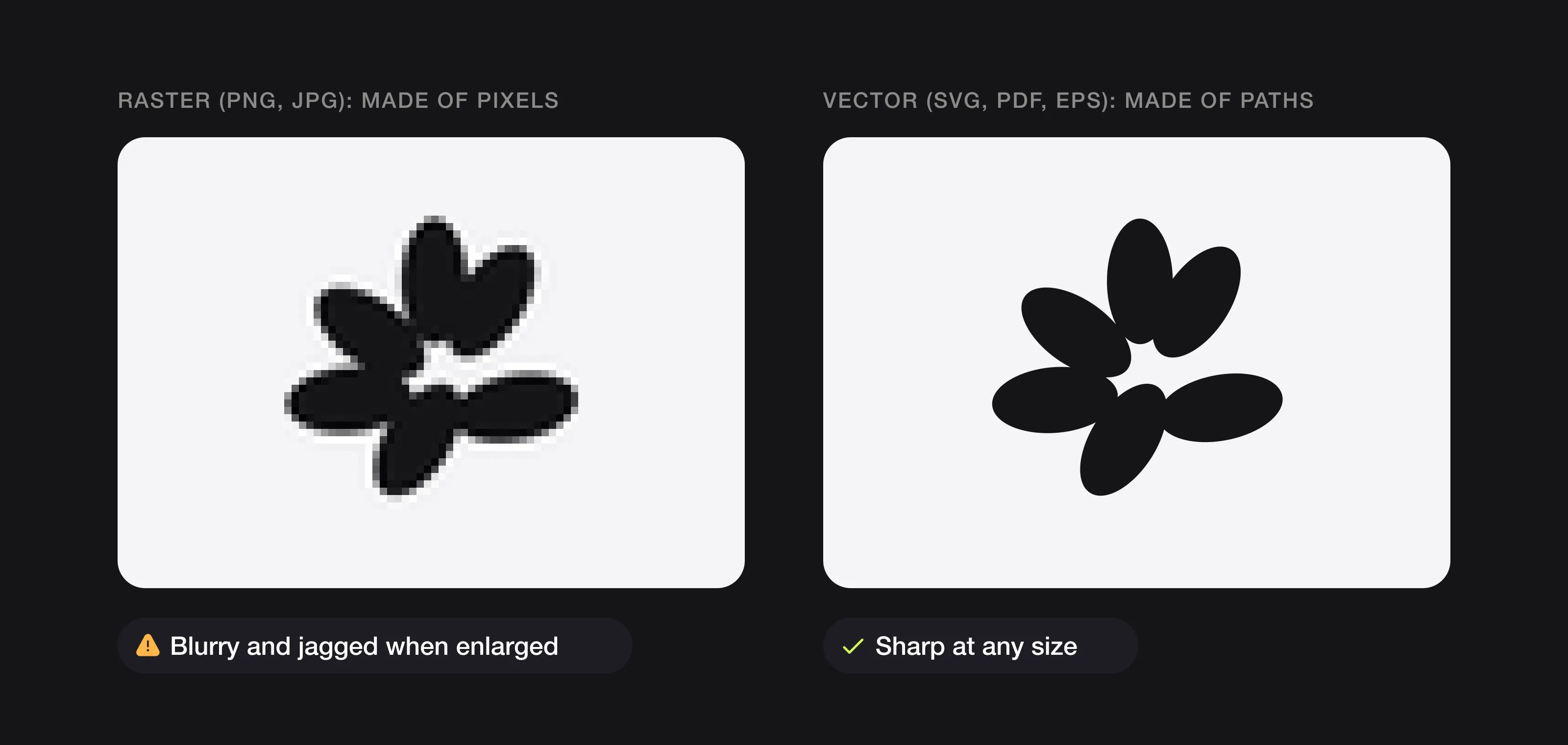 Zoom in and the difference is obvious: raster files are pixels, vector files are paths.
The essential formats
SVG (Scalable Vector Graphics)
What it is: an open vector format that works natively on the web.
Use it for: your website, digital presentations and anything on screen. SVGs load fast and stay crisp on high-resolution displays. When your web developer asks for the logo, send the SVG.
AI (Adobe Illustrator)
What it is: Adobe Illustrator’s own format and the industry standard for logo design.
Use it for: anything a designer needs to edit, such as changing colours, creating variations or adapting the logo for a new use. This is your master file. Without it, a future designer would have to redraw your logo from scratch.
EPS (Encapsulated PostScript)
What it is: a universal vector format that works in almost any design or print software, not just Adobe’s.
Use it for: print shops, merchandise suppliers and sign makers. EPS is the common language of physical production.
PDF (Portable Document Format)
What it is: when exported from a vector source, a PDF keeps the vector quality and opens on any device without special software.
Use it for: sharing your logo with people who don’t have design software, brand guidelines and print-ready files.
PNG (Portable Network Graphics)
What it is: a raster format that supports transparent backgrounds.
Use it for: social media, email signatures, slide decks and quick mockups. It’s your everyday format. Make sure it has a transparent background (not a white box behind the logo) and is at least 2,000 pixels wide.
The complete logo file checklist
A professional logo delivery should include:
- SVG file, for web and digital
- AI file, the editable master
- EPS file, for print suppliers
- PDF file, for sharing and print
- PNG files with a transparent background, in several sizes
- A full-colour version
- A one-colour (black) version
- A reversed (white) version for dark backgrounds
- An icon-only version, without the name
- Horizontal and stacked layouts, where relevant
Ask about this list before you hire anyone (it’s one of the questions to ask a logo designer). If your current package is missing more than two of these, you’ll hit a problem the next time you use your logo somewhere new.
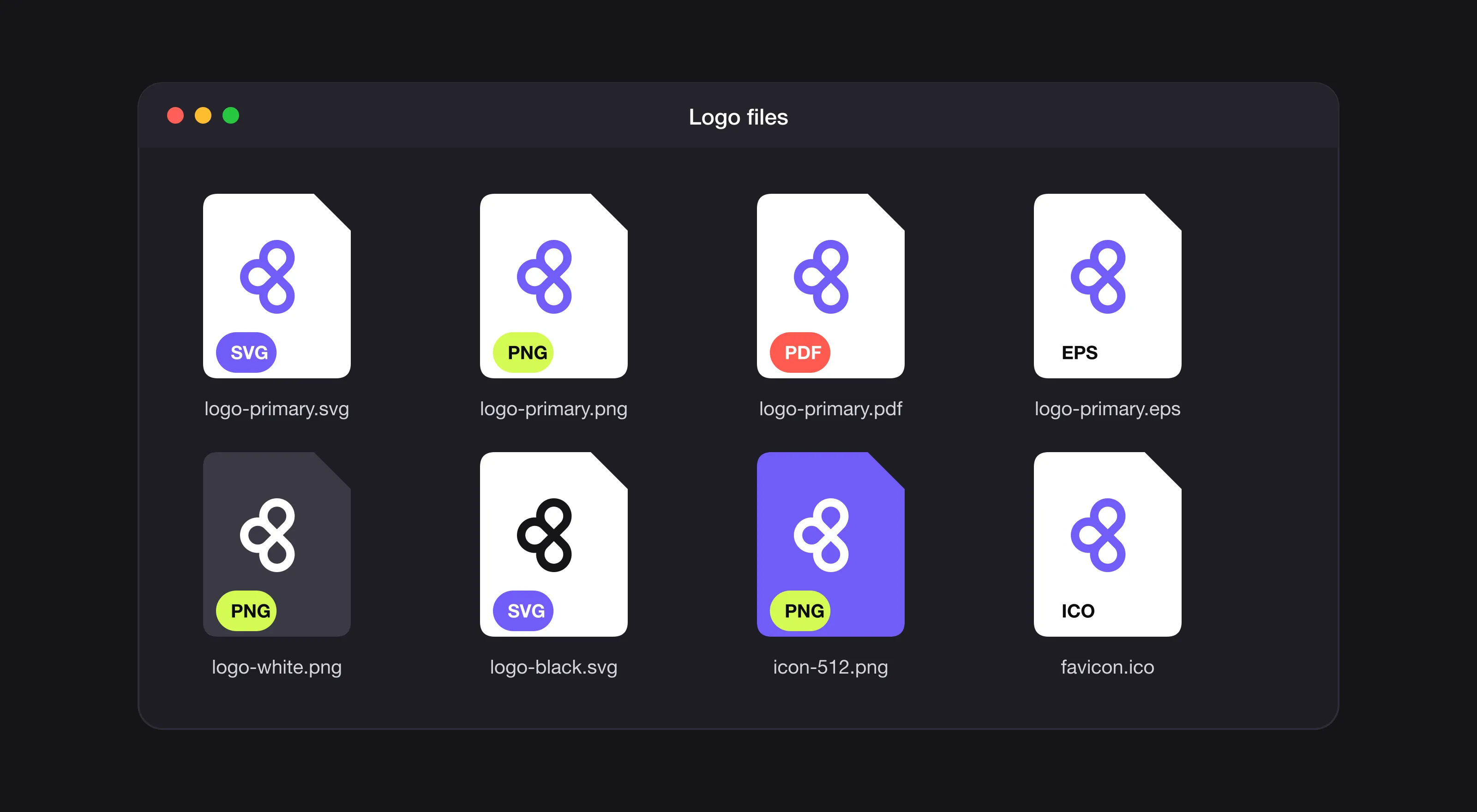 What a complete logo delivery folder looks like.
Red flags: signs you were shortchanged
You only received a JPG. JPGs don’t support transparency and lose quality every time they’re saved. A JPG-only delivery is typical of template or AI-generated logos.
You only received a PNG. Better than a JPG, but still pixels only. You can’t enlarge it for print without losing quality, and you can’t edit it without redrawing it.
Source files cost extra. Common on freelance marketplaces, where vector files are often sold as a €50 to €100 add-on. That’s like a car dealer charging extra for the steering wheel. (More on this in our freelancer vs. design service comparison.)
The files are low resolution. A PNG narrower than 1,000 pixels won’t work for most professional uses.
Need the exact dimensions for each platform? Our logo sizes guide lists them, from favicons to social profiles and print.
FAQ
What is the difference between a vector and a raster logo file?
Raster files (PNG, JPG, GIF) are made of pixels, so they go blurry when you enlarge them. Vector files (SVG, AI, EPS, PDF) are made of mathematical shapes and stay sharp at any size.
Which logo file should I send to a printer?
A vector file. EPS is the common language of print shops, merchandise suppliers and sign makers, and a PDF exported from a vector source also works as a print-ready file.
Is a PNG logo enough?
No. A PNG with a transparent background is fine for social media, email signatures and slides, but it’s pixels only, so you can’t enlarge it for print or edit it without redrawing it.
What logo file format should I give my web developer?
The SVG. It’s an open vector format that works natively on the web, loads fast and stays crisp on high-resolution displays.
What Logomint delivers
Every Logomint plan, from €129, includes vector, printable and editable source files, a transparent version of your logo and full ownership of the design. No surcharge for source files and no “premium formats” upsell: every file is yours to use anywhere, forever.
The Premium plan (€299) adds brand guidelines, stationery design, a social media kit and 3D mockups of your logo in real-world settings.
Your logo files are the building blocks of your whole brand. Make sure you have all of them.