Short answer The logo red flags that make customers hesitate are: blurry files, stock icons, too many colours, hard-to-read type, a dated look, a logo that fails at small sizes, no version for dark backgrounds, inconsistent use across platforms and a design that resembles another brand. Each one is fixable, and most come from the logo never being professionally designed.
Your logo speaks before you do
Before anyone reads your headline, checks your prices or scrolls to your reviews, they see your logo. People form a first impression very quickly, and it tends to land on either “this looks legitimate” or “something feels off”.
You rarely hear from the visitors who left. You just see the numbers and wonder why. Sometimes the answer is sitting in the top-left corner of your website. Here are nine red flags that quietly cost you trust.
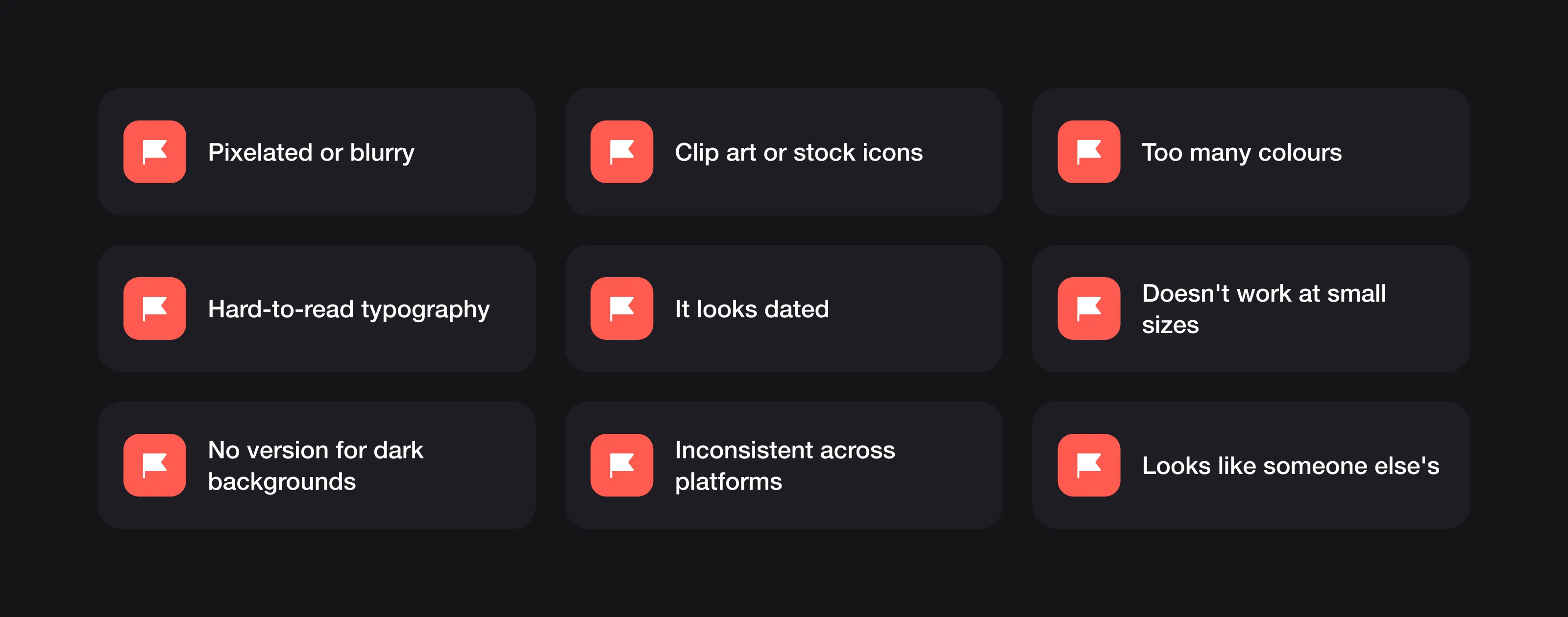 The nine red flags covered below.
1. Pixelated or blurry
A fuzzy logo on a sharp modern screen suggests you either don’t notice details or don’t care about them. Neither helps. It usually happens when the logo only exists as a low-resolution PNG and was never drawn as a vector file.
The fix: get a vector version (SVG, AI, EPS or PDF) that stays sharp at any size. Here’s every logo file format you need.
2. Clip art or stock icons
Customers have seen that lightbulb, handshake and globe many times before. A stock icon makes your brand look generic and interchangeable with every other business using the same icon library. It can also make the logo harder to protect as a trademark: Adobe Stock’s licence, for example, forbids registering a trademark that uses its assets.
The fix: a custom symbol or lettermark, made for your brand alone.
3. Too many colours
Most strong brands work with a small palette, often two or three colours. Logos with five or more tend to look noisy, are harder to remember, cost more to print and shift in appearance from screen to screen. Restraint looks confident.
The fix: cut back to a primary colour and one or two supporting colours, and make sure the logo still works in plain black and white. Our guide to choosing logo colours walks through it.
4. Hard-to-read typography
If people need more than a moment to read your business name, you have a problem. Overly decorative fonts, cramped letter spacing and low contrast all hurt legibility.
The fix: choose a clear typeface, adjust the spacing by eye, and test the logo at small sizes and from a distance.
5. It looks dated
Heavy drop shadows, 3D bevels, glossy gradients, starbursts and WordArt-style lettering all belong to earlier decades. If your logo looks stuck in the past, customers may assume your business is too.
The fix: simplify. Flat, well-proportioned forms age much better than effects. See what makes a logo timeless.
6. It doesn’t work at small sizes
Your logo appears as a social profile picture, a browser tab icon (often just 16 × 16 pixels) and an app icon. If it turns into an unrecognisable blob at those sizes, you lose recognition exactly where people see you most.
The fix: an icon-only or simplified version designed specifically for small sizes.
7. No version for dark backgrounds
A logo that only works on white looks broken on dark websites, coloured packaging and social stories.
The fix: a reversed (white) version and a one-colour version, as part of the standard file set.
8. Inconsistent across platforms
One version on your website, a slightly different one on Instagram, a third on your business cards. Inconsistency makes a brand feel disorganised and weakens recognition.
The fix: one master logo with defined variations, and the same files used everywhere.
9. It looks like someone else’s
Whether it’s intentional or not, a logo that resembles a well-known brand creates the wrong association. At best, you look derivative. At worst, customers suspect you’re trying to trade on someone else’s reputation, and you risk a legal dispute over confusingly similar trademarks.
The fix: an original design, checked against competitors before you commit to it.
FAQ
Why does my logo look blurry on my website?
It usually means the logo only exists as a low-resolution PNG and was never drawn as a vector file. A vector version (SVG, AI, EPS or PDF) stays sharp at any size.
Can I use a stock icon in my logo?
It makes your brand look generic and interchangeable with every other business using the same icon. It can also make the logo harder to protect as a trademark, since some stock licences, such as Adobe Stock’s, forbid registering a trademark that uses their assets.
How many colours is too many for a logo?
Most strong brands work with a small palette, often two or three colours. Logos with five or more tend to look noisy, are harder to remember and cost more to print.
What logo versions does a business need?
One master logo with defined variations: an icon-only or simplified version for small sizes, a reversed (white) version for dark backgrounds and a one-colour version. Use the same files everywhere so the brand stays consistent.
The common thread
Almost every red flag here has the same root cause: the logo wasn’t designed by someone who thinks about how it will be used. DIY tools, AI generators and cheap marketplace gigs produce a logo that exists, but not one that builds trust. That’s why cheap logos often cost more in the long run.
A professional designer thinks about scalability, versatility, originality and how your brand should be perceived, and delivers a logo that works everywhere you need it.
At Logomint, a senior designer creates your custom logo with vector, printable, transparent and source files on every plan, first concepts in 48 hours and a 100% money-back guarantee, from €129. See the plans and make sure your logo is saying the right thing.